At the time of writing a program, you can think about many ideas for that, much of them can be very popular, but the least thing that you want, is to fight against code or deployments if you only want to build an app with a graphical interface for managing your data.
To align with that idea, you can use a tool for writing or wiring diagrams and convert them into executable code, understandable by a machine.
For that task, there is a growing innitiative right now, that can accomplish it with enough efficiency and speed.
If we recap, the basis of “programming” were to think and draw diagram flows, and following the algorithm logic, we have the “program”. Well, nowadays that can be done using low-code or no-code tools.
I know that many readers were thinking that the next thing I was going to talk about, after algorithms, was low-code/no-code, and they were right, here we are.
The basic idea for no-code is that you have not to write code, but there is the low-code, where you can or have to write a bit of code only, as oppositte to writing the full program as usually is done when programming. And the main point of this kind of tools is that you draw the application interface using a graphical view, and with this, you add functionality.
For simplification, I will write only no-code most of the time.
The key for understanding how it works, is that you can program using interfaces, using APIs.
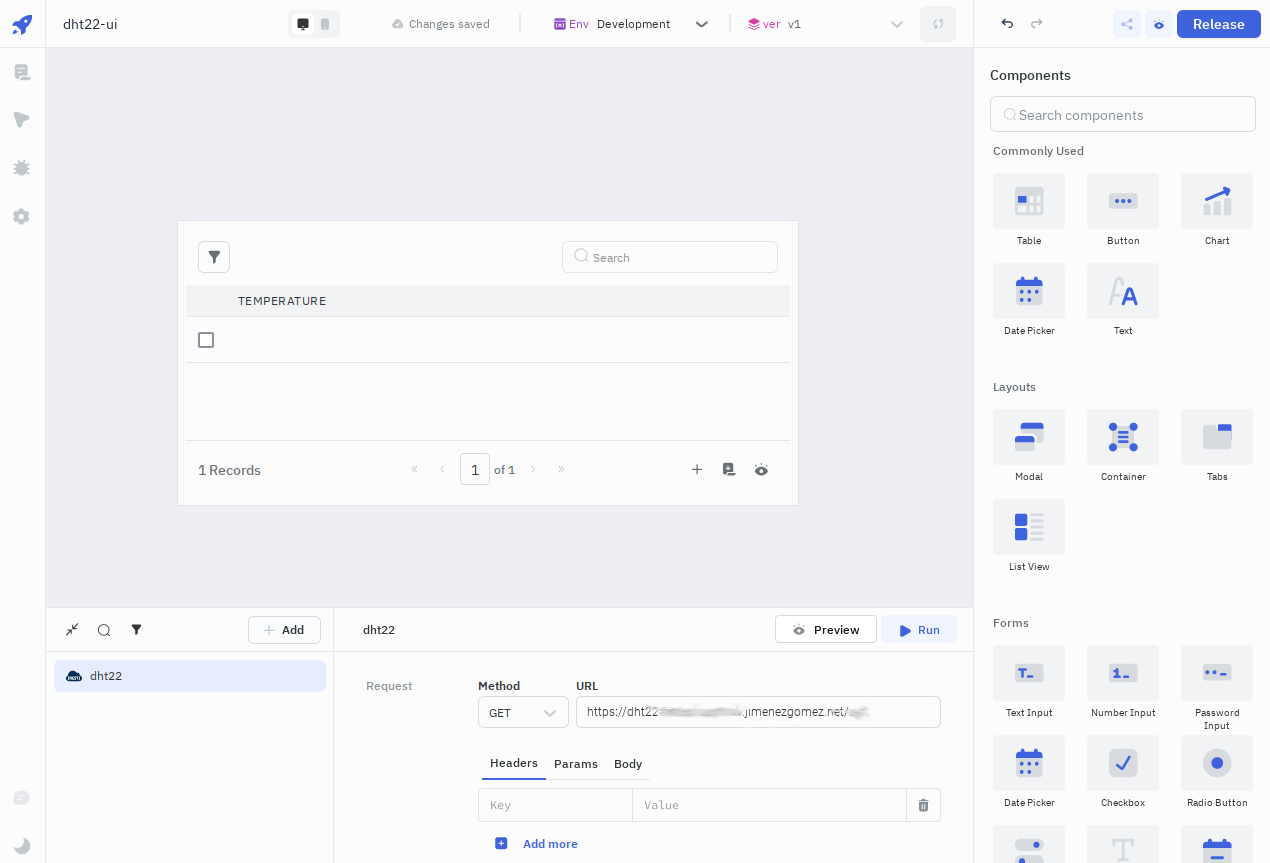
For creating this kind of applications, first you usually add REST API queries for adding, deleting or some related operations, the APIs must exist, but this systems allow you to work with more kinds of data sources. Then you store the queries with a name and go to the next step, the design of the screens.
When creating the application, you can draw, for example, pannels, buttons, lists, or tables for your application. In most of the cases, the real underlying thing, that is generated with this kind of applications, is a web application.
For the screens, if you, for example, want to manage a list of items, you can draw a container for the list of items, then add an edit and delete button for each item and one unique button for adding items. Later you can draw another screen for the add/edit, including the related item fields being edited or added.
And the final step, for adding the desired behaviour, is to link the queries you created to actions in the designed application. For example, when you click on the delete button of a selected item, the action that you want to be performed is to delete the selected item, that is done by mean of creating a link between the item delete button and the generic query that you stored for deleting an item.
It is that simple.
You have built an application interface for managing your data.
With this kind of tools, you can build apps that use your preferred REST APIs, or other kinds or data sources, as we said.
And the last step is to publish your application.
With no-code applications, you can do that in an easy way, you have a button that says “Publish”, you click that button and your application gets published. It can be locally in a development URL, created by the same no-code application, or to remote hosts, depending on the chosen tool, and if your application deploys to develop or to production, you can choose which kind of deployment to do.
Today we finished explaining the concept of building graphical interfaces, for managing existing data, in an easy way. At the end, most of the time in computer programming, the tasks we do are related to processing data.
With this post, the fundamentals for allowing someone to write applications is complete.
I have to say that this kind of low-code or no-code applications have much more and complete features, this post is made for getting one of the basic ideas.
We will continue with interesting posts in a near future, now we have to take a rest and prepare all for finishing properly the year, and prepare the next one.
I am sure it will be plenty of good and interesting projects. The AI is right now in the next door.